
** troubleshooting / problems with the site
-
hello good people!
starting a thread for any troubleshooting of issues with this site. please post any of that stuff here.
** the hope and desire is that other community members can step in help each other out, unless it's truly something that only the admins need to take care of. the team is putting in tonnes of time to this already so please:
- remember the password you created
- read the fine print (it might not be what you assume ... also, there shouldn't be much fine print anyway!)
- you don't need to input your email address to join. you can start posting right away
we are starting this site simple and we are not going to add a bunch of features and keep changing things. that's part of the point. there are still legit kinks here too (this is still a work in progress), so if you do run into any troubles - please do post that here so we can know and try to smooth it out.
eventually the day might come when some moderating might be needed. people will be booted if they need to be with no ceremony and no drawn out dialog. we're not going to create a list of common sense basic levels of respect here. come correct or go argue with people online somewhere else. users can also block people pretty easily too.
we'll edit this pinned comment with more FAQs and things as needed. enjoy!
-
 M Michael-Red pinned this topic
-
Hi hi! Thanks for starting this! Here are things I’ve run up against.
-
I am prompted when first logging in that I will need to respond to the email before being able to post which isn’t the case and no email arrived which was a source of confusion. Will post the screenshot of it Once I beam it to my computer and reply from there.
-
The prompt on login asks for either email or username and only the username does work
-
Unable to post photos in reply from my phone to threads like the pets thread for example.
Much respect and gratitude!
-
-
i already heard back from one of techs. we don't actually have the email part set up yet! so no one is getting any replies in that way. they are "on it" but also labour of love - so this might still take a while. for now -> it's user names only.
photos being dropped into replies is being looked at in another way already, this might be the same thing that are flagging too. you don't see the photos when you drag and drop in - but they do show up went you press submit on the post. is this the same issue you are having?
-
you can add photos on mobile but its not super intuitive yet because of the out of the box interface.
-
Open the composer using the expand button. The quick reply is just a way to throw in a simple text reply, but the composer allows for formatting and media.
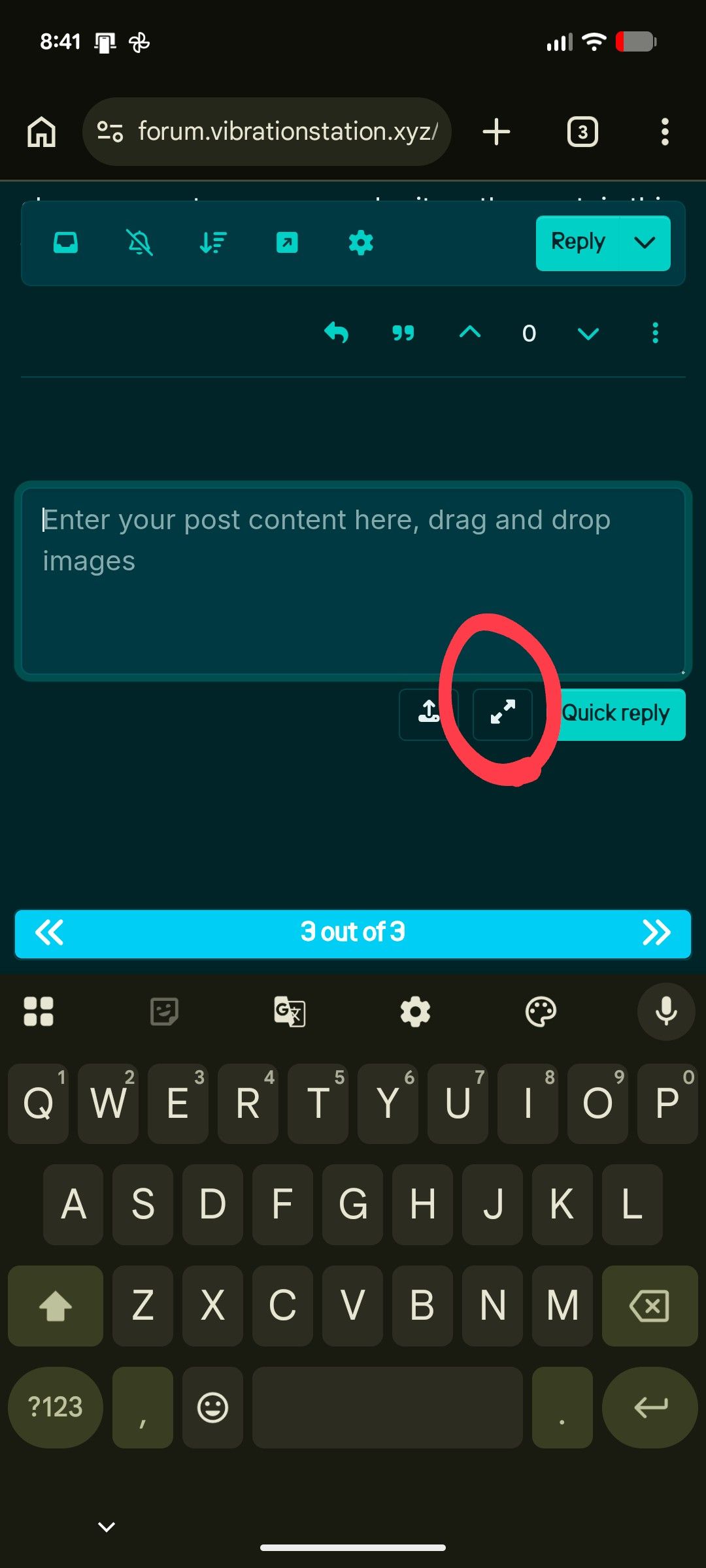
-
Scroll the list of media types horizontally to the left at the top of the composer. (I think I'll make a change to this soon so the image upload is not at the end of the list and swap it with the code icon which will likely not be used much)
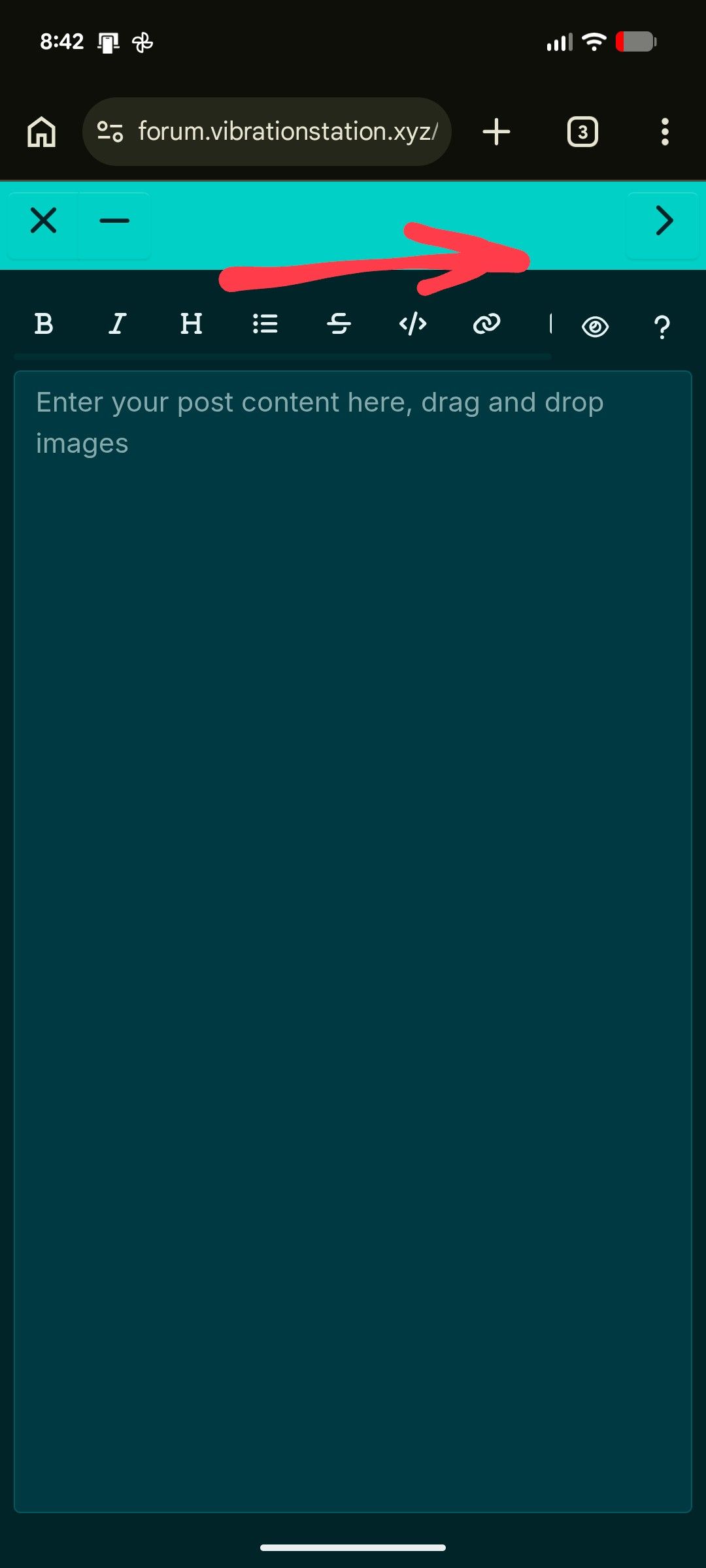
-
tap the file icon - take a photo or upload a file (this might look different depending on your device OS)
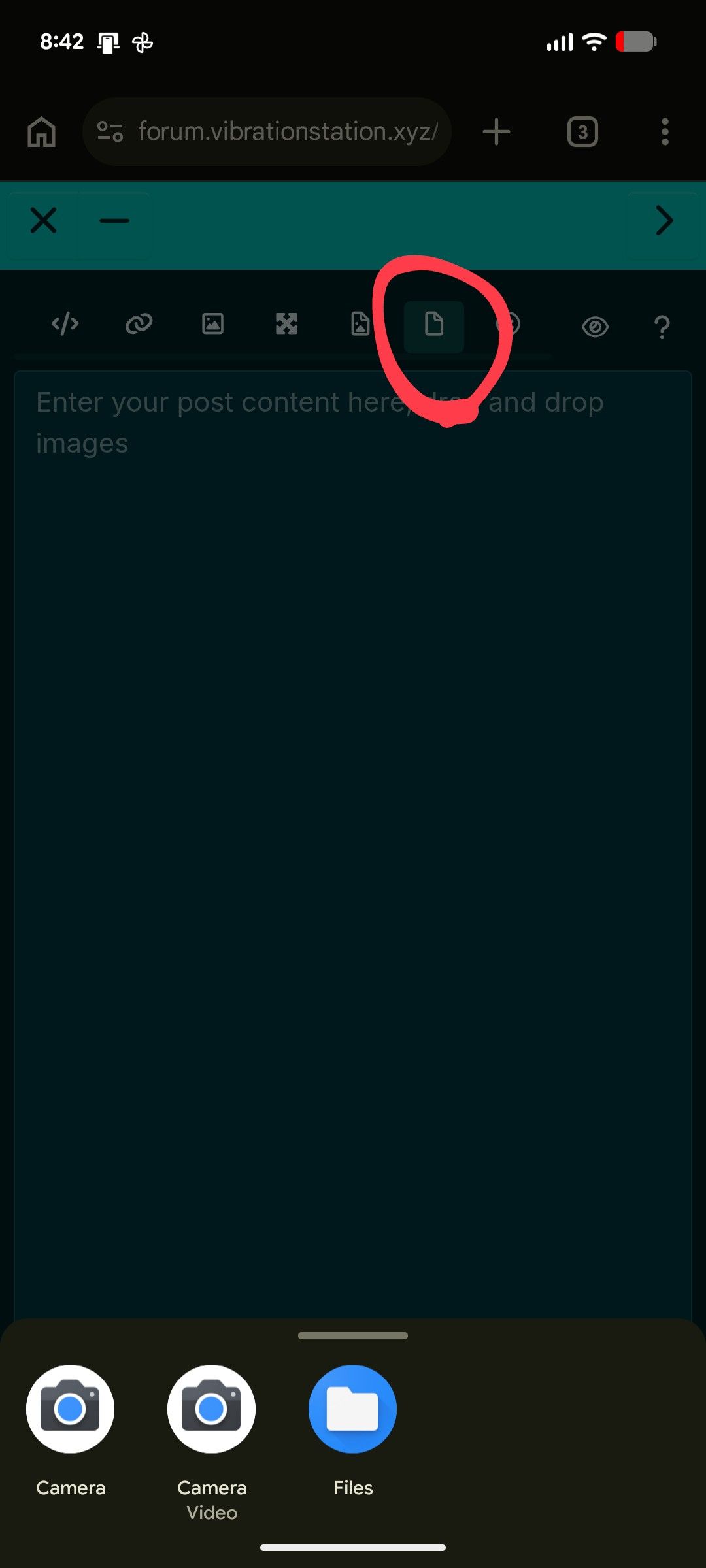
-
-
The post composer is a Markdown editor so to format things you can use shorthands using symbols and whatnot or the buttons up top to select a format but you have to manually preview it using the eye icon on mobile


Hello! It looks like you're interested in this conversation, but you don't have an account yet.
Getting fed up of having to scroll through the same posts each visit? When you register for an account, you'll always come back to exactly where you were before, and choose to be notified of new replies (either via email, or push notification). You'll also be able to save bookmarks and upvote posts to show your appreciation to other community members.
With your input, this post could be even better 💗
Register Login